
PART 01 · L01–L03
Where the internet and AI began
A short history and a clear explanation.
- Tell the internet and the web apart
- Explain how models learn
- Understand where an answer comes from
A practical classroom course and textbook for Ukrainian veterans who are new to IT and have no prior coding experience. Together with a teacher in class and at home, you will explore how the internet and modern AI tools work and build three finished digital projects.


In the book, all three projects follow our fictional learner Olena. First, students reproduce the verified example in class, then build their own version and perform an independent live edit during the final review.
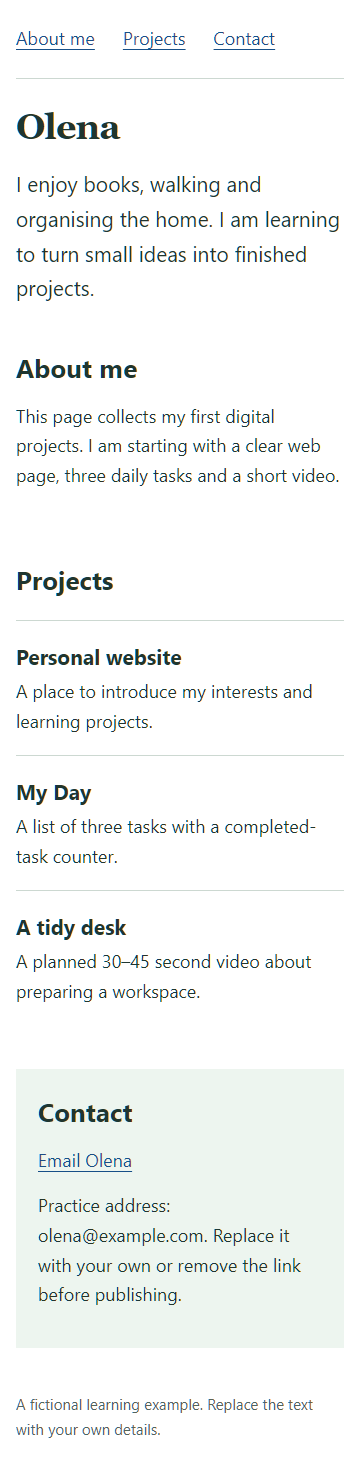
In Lessons 11–14, the student plans three sections (“About me”, “Projects”, “Contact”), prompts AI to generate clean index.html and styles.css without heavy frameworks, verifies contrast and mobile wrapping, and publishes the page on GitHub Pages.
I enjoy books, walking and organising the home. I am learning to turn small ideas into finished projects.
This page collects my first digital projects. I am starting with a clear web page, three daily tasks and a short video.
A place to introduce my interests and learning projects.
A list of three tasks with a completed-task counter.
A planned 30–45 second video about preparing a workspace.
In Lessons 15–18, students move from static pages to interactive applications: building a 3-task checklist, wiring live state in JavaScript (app.js), saving choices in localStorage, and adding manifest.webmanifest and a Service Worker (sw.js) so the app works offline.
In Lessons 19–28, participants master practical media creation without expensive studio gear: scripting a 40-second video (8 + 22 + 10 = 40 seconds), editing with subtitles in Clipchamp, designing a 5-slide 1080×1080 Instagram carousel, and recording a vertical TikTok clip with safe caption margins.
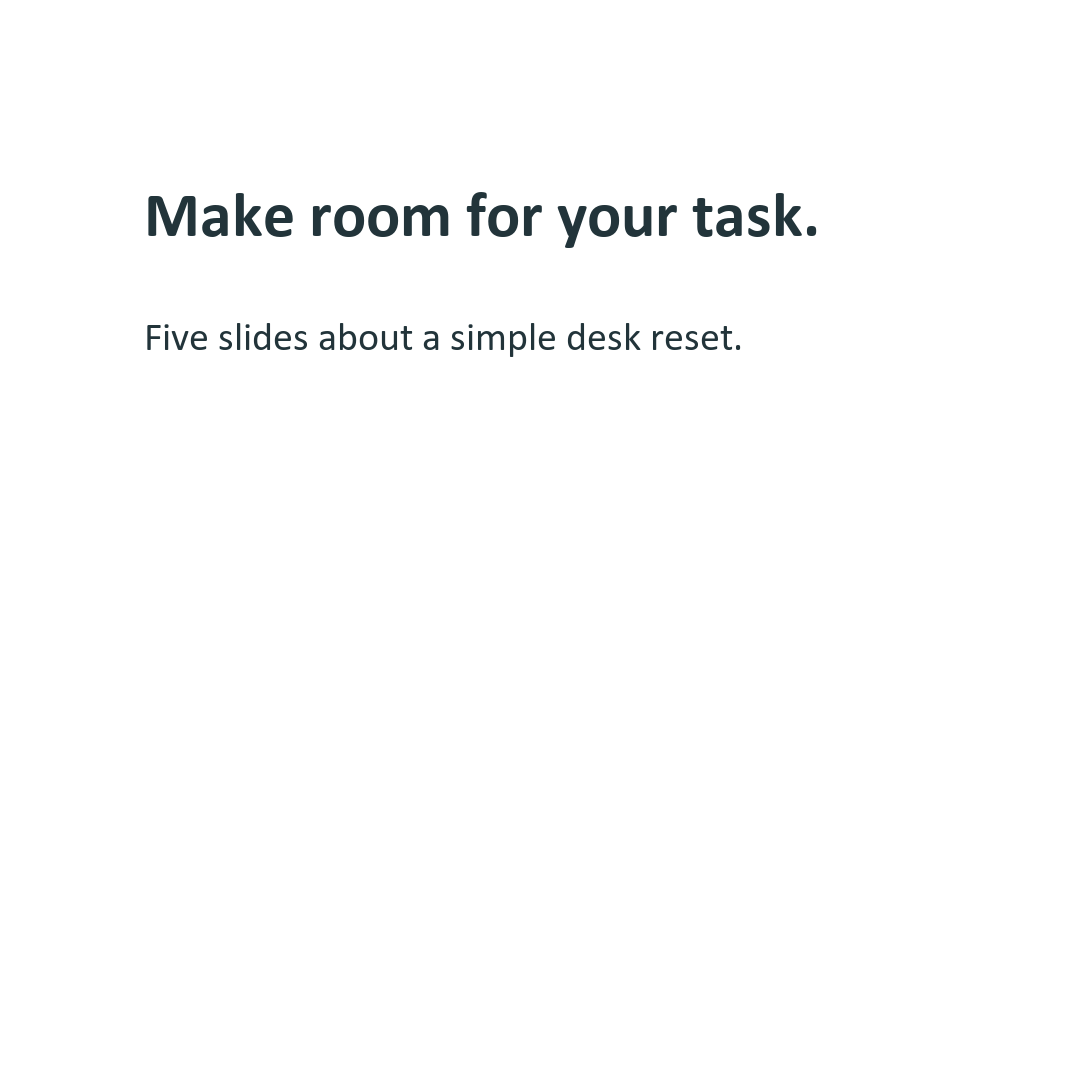
Three simple actions: remove extras, keep the essentials, and group small items together. I started with space for a book. Which area would you start with?
Room for a book

0–4 s
A hand holds a book above a crowded desk
Where can this book go on a crowded desk?
No room?

4–14 s
Extra objects move into a box
First, I remove what I am not using now.
Remove extras

14–24 s
The book and pen remain in the centre
I keep what I need for reading. Small things go at the side.
Keep essentials

24–32 s
Olena opens the book in the clear space
Now I can begin. Which small area would you clear?
Ready to read
Each part of the book opens with an original studio illustration, “You will learn” outcomes, and step-by-step lesson notes. Click any lesson below to open the complete chapter with diagrams, AI prompts, and self-test.
A short history and a clear explanation.
Files, addresses and accounts.

Three services and your first conversation.

Clear requests and checked results.

An about-me page you can share.

A task list that works on your phone.

From creating a channel to watching your video.

A carousel and a short vertical video.
One simple action and a clear result.

Plugins, commands and your own project.
The course does not lock learners into a single vendor. Participants practice with three major ecosystems, learning to provide clear context, verify claims, and supervise coding assistants in a local project folder.
Plain-language explanations, generating the first webpage draft, analysing CSV tables in a local Codex folder, custom skills ($skill-creator) and session slash commands.

Clear text editing, working with a local app folder in Claude Code, live Preview window, line-by-line Diff inspection, and persistent project instructions in CLAUDE.md.

Searching your own Google Workspace files, saving reusable instructions in Gems, working in a local folder with Antigravity App, live browser verification, and Walkthrough reports.

Participation is 100% free for Ukrainian veterans. All 10 classroom workstations are fully equipped and backed by a 5.12 kWh power system, primary and backup internet, and a verified shelter route.
| Stage | Duration | Stage Deliverable |
|---|---|---|
| 1. Preparation | 2 weeks | Recruiting 10 participants, procuring workstations, and preparing the classroom (Kharkiv). |
| 2. Classes | 12 weeks | 24 hands-on classroom sessions (twice a week × 3 hours = 72 hours total). |
| 3. Portfolio Defense | 1 week | Showcasing the website, app, and content package + independent live edit. |
| 4. Reporting | 1 week | Financial report for sponsors and evaluation of completed student portfolios. |
Pilot team: 1 manager (recruitment, procurement, reporting) and 1 teacher (instruction, mentoring, portfolio review). Participants without a home PC complete extra practice in the classroom.
| Funding Category (32 items B01–B32) | Amount, USD |
|---|---|
| Equipment & setup (10 student PCs, 2 staff PCs, 55″ display, 5.12 kWh backup power) | $14,280.00 |
| Team & premises for 4 months (manager, teacher, rent, utilities, dual internet) | $12,960.00 |
| AI, services & cloud (11 ChatGPT Plus, 11 Claude Pro, 11 Google AI Pro, 12 Workspace, VPS) | $3,258.76 |
| Licenses & publishing (12 Windows 11 Home FPP, Apple Developer, Google Play, test phones) | $2,780.00 |
| 20% foreign payment tax allowance ($700.55) & 10% contingency ($3,397.93) | $4,098.48 |
| Total Pilot Requirement ($3,737.72 per student) | $37,377.24 |
The program is created for Ukrainian veterans and adults starting in IT with zero prior coding experience. Classes combine in-person studio practice (10 equipped workstations) with a 208-page printed and digital textbook.
Every participant builds a 3-project portfolio: (1) a personal responsive website on GitHub Pages (Lessons 11–14), (2) the “My Day” offline-capable PWA web application with localStorage and Service Worker (Lessons 15–18), and (3) a media content package for YouTube, Instagram, and TikTok (Lessons 19–28).
Verified as of 01.11.2026: Classroom equipment & setup ($14,280), Team & premises for 4 months ($12,960), Named AI & cloud subscriptions ($3,258.76), Windows 11 FPP & store licenses ($2,780), plus foreign tax allowance and 10% contingency ($4,098.48), totaling $37,377.24 ($3,737.72 per student).